
DBA VOICE / FOR MAC
Say it.Keep moving.
Japanese voice input for Mac.
Keep the transcript or tidy it up. You choose.
Everyday words. Your own voice.
YOUR WORDS. YOUR CHOICE.
Choose how much
to tidy up.
Keep the recognized words as they are,
clean up their formatting,
or let AI try to tidy up spoken corrections.
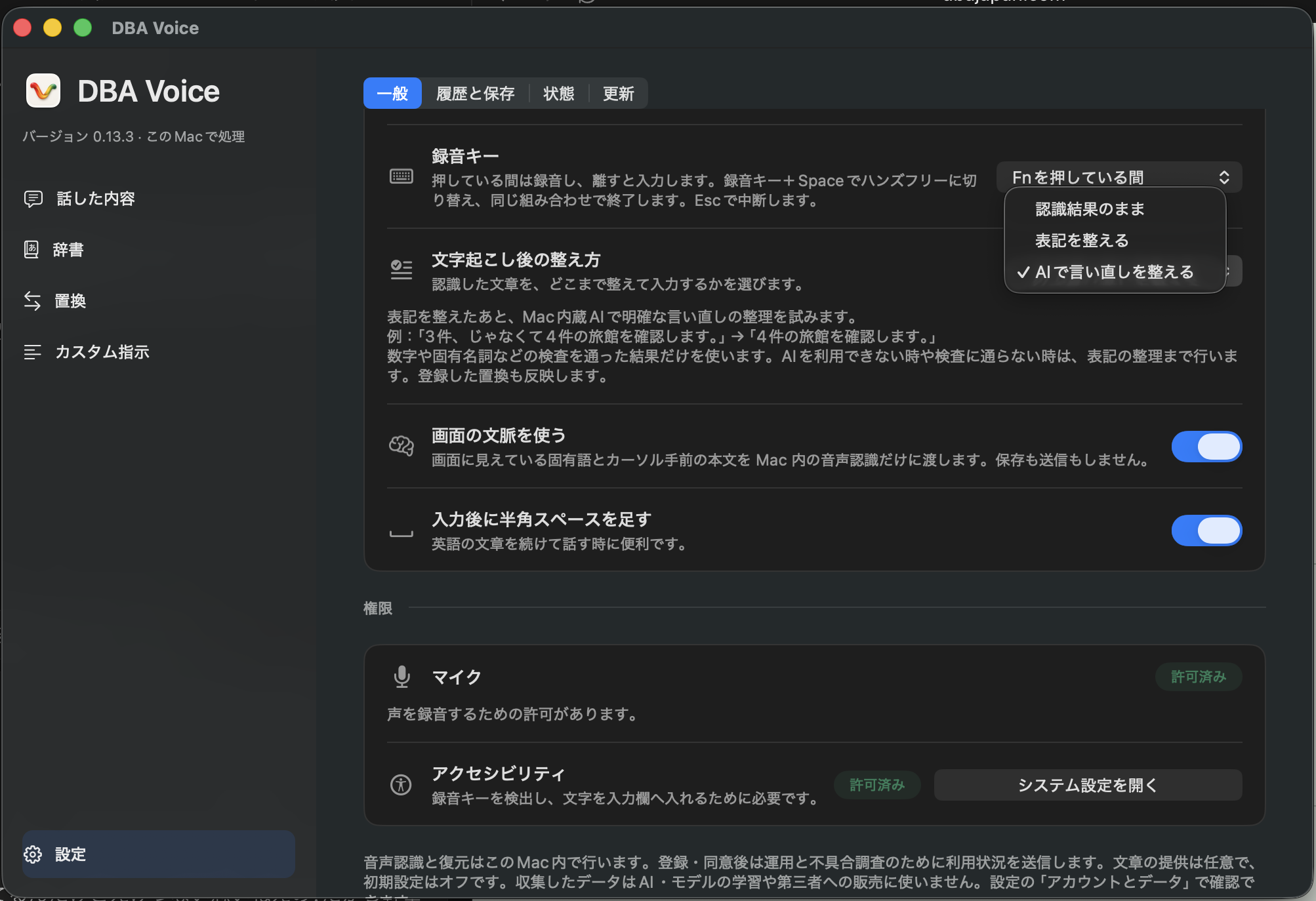
FOR EXAMPLE, AFTER SPEECH RECOGNITION
えっと、3件、じゃなくて4件です
“Um, three items, no, four items.”
- Keep the recognized text認識結果のまま
えっと、3件、じゃなくて4件です
Use the recognized words just as they are.
- Clean up the text表記を整える
3件、じゃなくて4件です。
Remove Japanese fillers such as 「えっと」 (“um”) and tidy up number and term formatting.
- Tidy up corrections with AIAIで言い直しを整える
4件です。
After text cleanup, your Mac’s built-in AI tries to resolve clear spoken corrections.
This example illustrates the differences. Results vary with the audio and context. Your saved replacement rules apply in all modes. The app’s mode labels are shown in Japanese.
AI mode requires Apple Intelligence. If AI is unavailable or its result does not pass validation, DBA Voice uses basic text cleanup.
FROM THOUGHT TO TEXT
Think it. Say it.
Finish speaking. See your words.
Right where you’re typing.
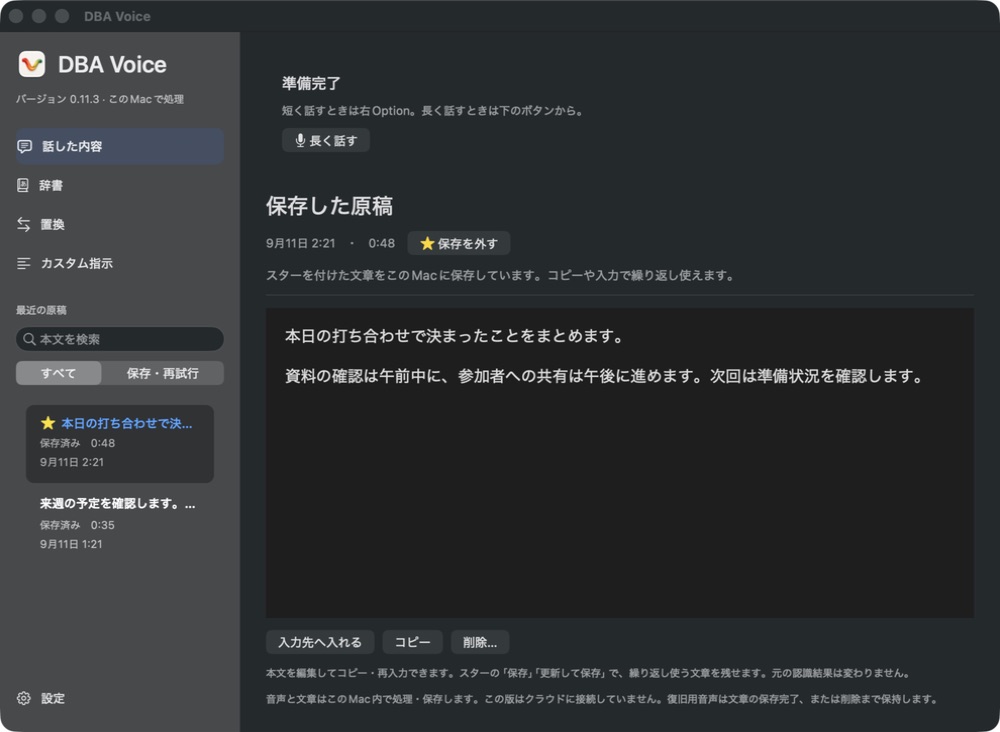
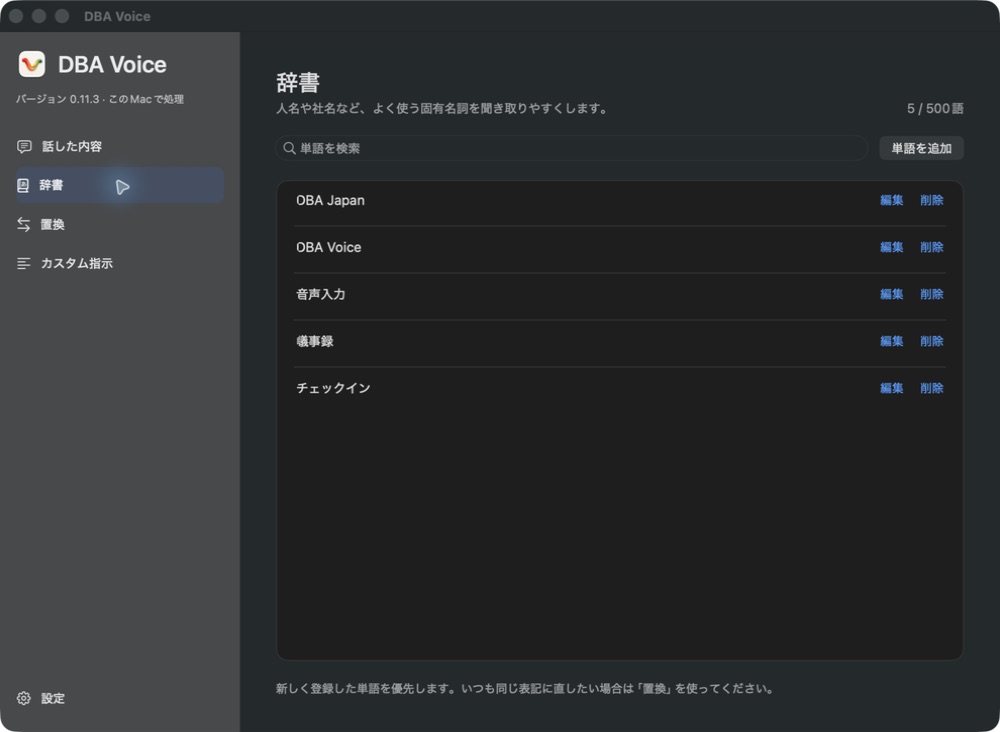
YOUR WORDS, KEPT CLOSE
Your words.
Ready to reuse.
Star a useful prompt.
Add familiar names to your dictionary.

Let your next words
be spoken.
Free early release for Mac
Apple Silicon Mac / macOS 26 or later
Enable Apple Intelligence to tidy up spoken corrections with AI.
tar.xz / 1.34 GB
Speech recognition model included. If macOS shows a first launch warning, follow the steps below.
If macOS blocks the first launch
Use the same Mac that showed the warning. This early release has not been notarized by Apple, so macOS may show a first launch warning.
- Open DBA Voice from Applications, then dismiss the verification warning with Done.
- Open System Settings → Privacy & Security and find Security near the bottom.
- Look below Allow applications from. Choose Open or Open Anyway for DBA Voice, then follow the confirmation.
Setup
Setup
This Mac release includes the Whisper large-v3-turbo speech recognition model. No separate model download or API key is needed.
- Double-click the downloaded file (.tar.xz), move the extracted DBA Voice app to Applications, then open it.
- This early release has not been notarized by Apple. If macOS says it cannot verify the developer, follow the first launch instructions below.
- Follow the app’s guide to allow Microphone and Accessibility access.
- Click a text field and hold your recording key while speaking. The default is the right Option key. You can choose Fn in settings.
Unpacking takes longer than the ZIP. If you already downloaded the ZIP or DMG, keep using it; no new download is needed. For the DMG, open it and drag DBA Voice to Applications.
Tidy up spoken corrections with AI
Enable Apple Intelligence on macOS 26 or later. This mode is selected on a new installation. You can check it in DBA Voice settings under「文字起こし後の整え方」→「AIで言い直しを整える」. When AI is unavailable, transcription still uses the same speech model and applies basic text cleanup.
If macOS shows a first launch warning
Make sure you downloaded DBA Voice from this page and try opening it once. Dismiss the warning, then choose System Settings → Privacy & Security → Open Anyway. Choose Open in the confirmation. See Apple’s instructions for details. If you see a different warning, such as a message that the app will damage your computer, stop and contact the distributor.
If the recording key does not respond
Check your selected key and Mac permissions. If another voice input app uses the same key, review both apps’ key settings. You can also start recording with DBA Voice’s long recording button.
Your data
Your data
Audio transcription and recovery run locally on your Mac. Raw audio is not sent to a server. Recovery audio is kept on your Mac so you can retry an unfinished transcription.
An account is optional
New cloud account registration is in preparation. You can use local voice input on your Mac without registering.
No account is required for local voice input. If you register, your email address and user ID are stored to manage your account. After you sign in and consent to data use, the operator can review usage information such as the app version, recording duration and processing results.
Sharing text is a separate choice
Transcript sharing is off by default. If you enable it, staff may read the text to investigate problems. Accounts and data you have agreed to share are stored using Supabase.
Restoring text saved to the cloud
Sign in to the same account and use「クラウドの文章を履歴に復元」in Account and Data to restore your own text that was saved with your consent within the past 30 days. Unsent text and audio are not included.
Collected usage data and transcripts are not used to train AI models or sold to third parties. You can change your sharing choices in the app’s Account and Data settings.
Requirements
Requirements
- Mac
- Apple Silicon Mac with macOS 26 or later, including MacBook Air models with Apple Silicon.
- AI text cleanup
- Requires Apple Intelligence to be enabled. When AI is unavailable, basic text cleanup still works.
- Language
- Japanese voice input. The app screens shown on this page are in Japanese.
- Internet connection
- Needed to download the app, sign in and send data you agree to share. The speech recognition model is included, and transcription runs locally on your Mac.
- Other platforms
- This release is for Mac. This page does not offer a Windows, iPhone or Intel Mac version. DBA Voice is an installed Mac app.